
Kana Dynamic IP Updater
Latest version:

Kana Dynamic IP Updater log window
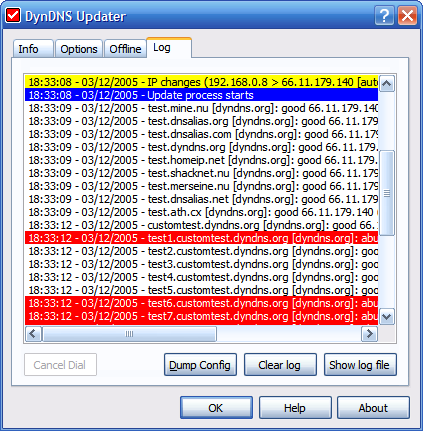
Image Description:
This image displays the log page. You can recognize the problem easily by looking at the color of the line on log.
This page has one additional button compared to previous version, a Dump Config button. Using this button, you can save the settings into text file. This is very useful for troubleshooting.
Image Properties:
Link to the image: https://kanasolution.com/wp-content/uploads/2010/11/log01.png
Full size of the image in pixels: 423 x 431
Attachment MIME type: image/png
Get more information by using Google search

Custom Search


- A A A

